I built Code Coach with two classmates for the University of Michigan–Dearborn ACM chapter. It was our senior design project: a place to practice for programming contests and technical interviews. I designed the site and logo, and built most of the frontend and backend.
The idea was to keep the problem, code, and help in the same place. You could work through a solution, ask a question when you got stuck, and try the next idea without leaving the page.
- Role
- Design & full-stack development2025
- With
- University of Michigan–Dearborn
- Stack
- React, JavaScript, Node.js, AWS, AWS Lambda, API Gateway, MongoDB, OpenAI
Coding workspace
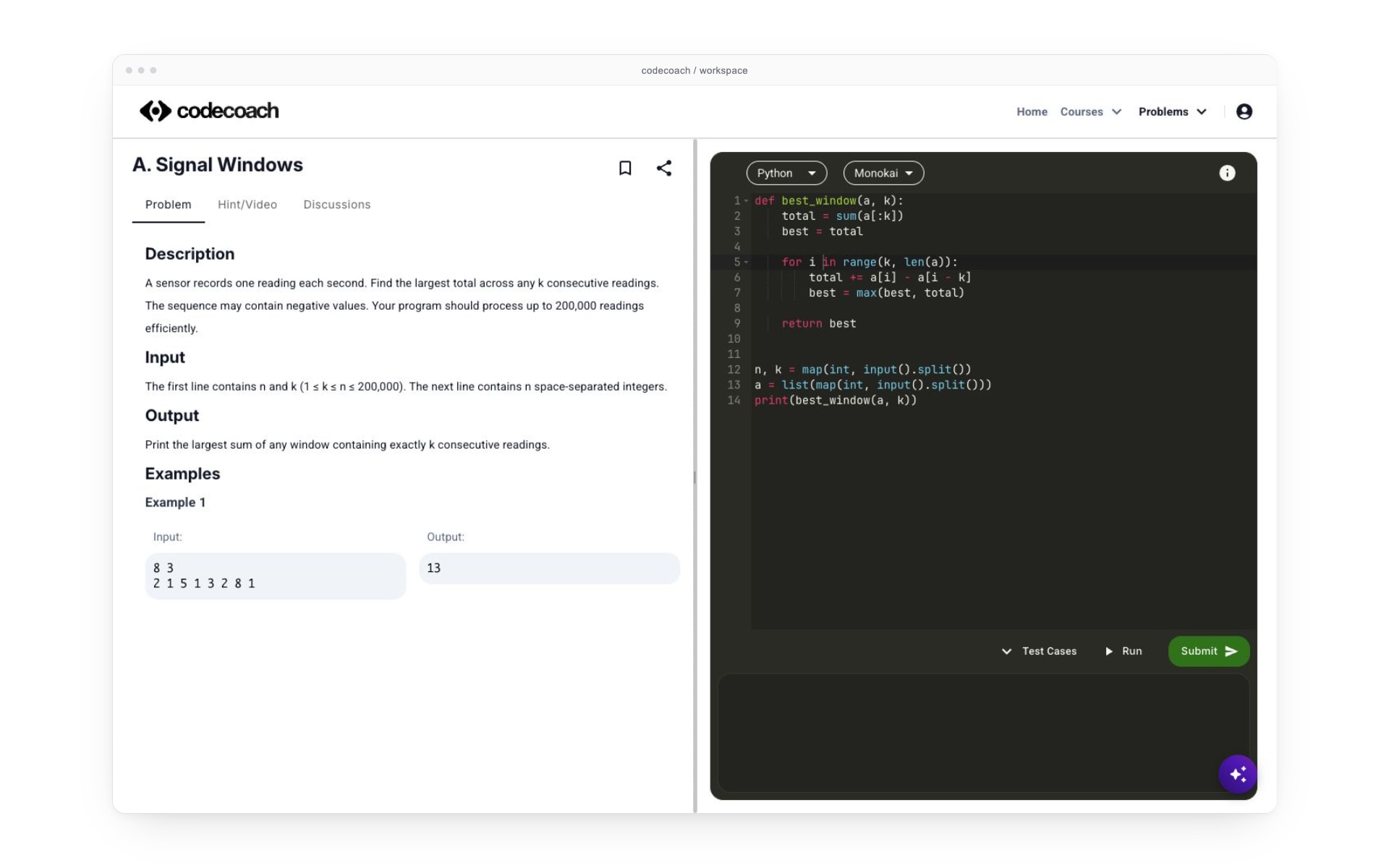
Students could browse ICPC problems by year and region, or interview questions by category. Once you picked a problem, the statement stayed beside the editor. You could switch languages and themes, enter a test case, and run your code right there.
Getting unstuck
The assistant received the problem and the code in your editor along with your question. That meant you could ask about the part you were working on without copying everything into a separate chat. In this example, it explains how to update a sliding window instead of adding up the same values again.
Running and submitting code
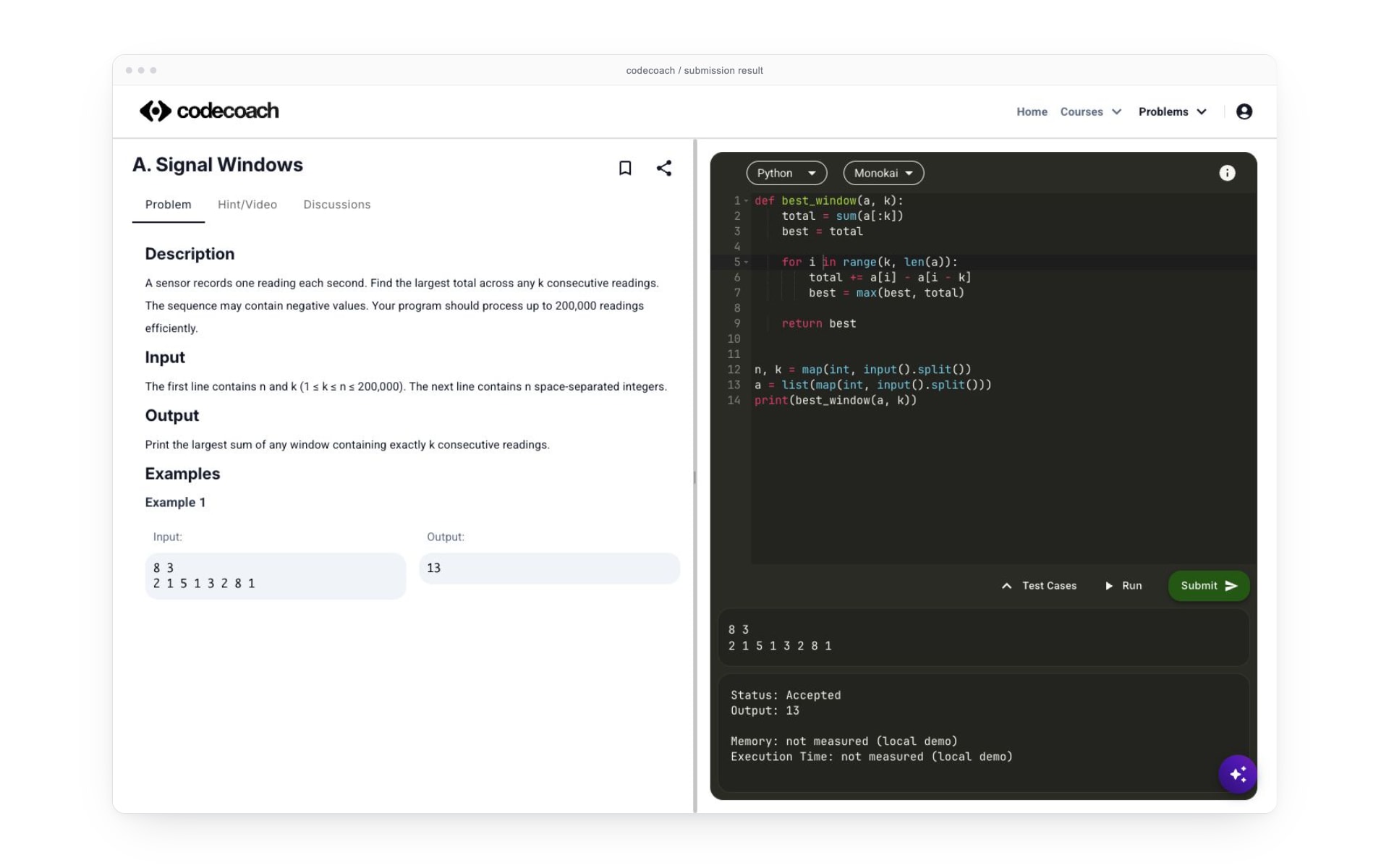
Run let you try an input and inspect the output. The clip below finishes a maximum-sum solution, runs the problem's example, then checks an all-negative input. That second case catches a bug: starting the best sum at zero would give the wrong answer.
Submit saved the code and its result to your account. The result panel showed the execution status, output, memory use, and execution time.
Practicing together
Courses gave instructors a way to group problems into practice sets. Students could open a course and go straight into one of its problems.
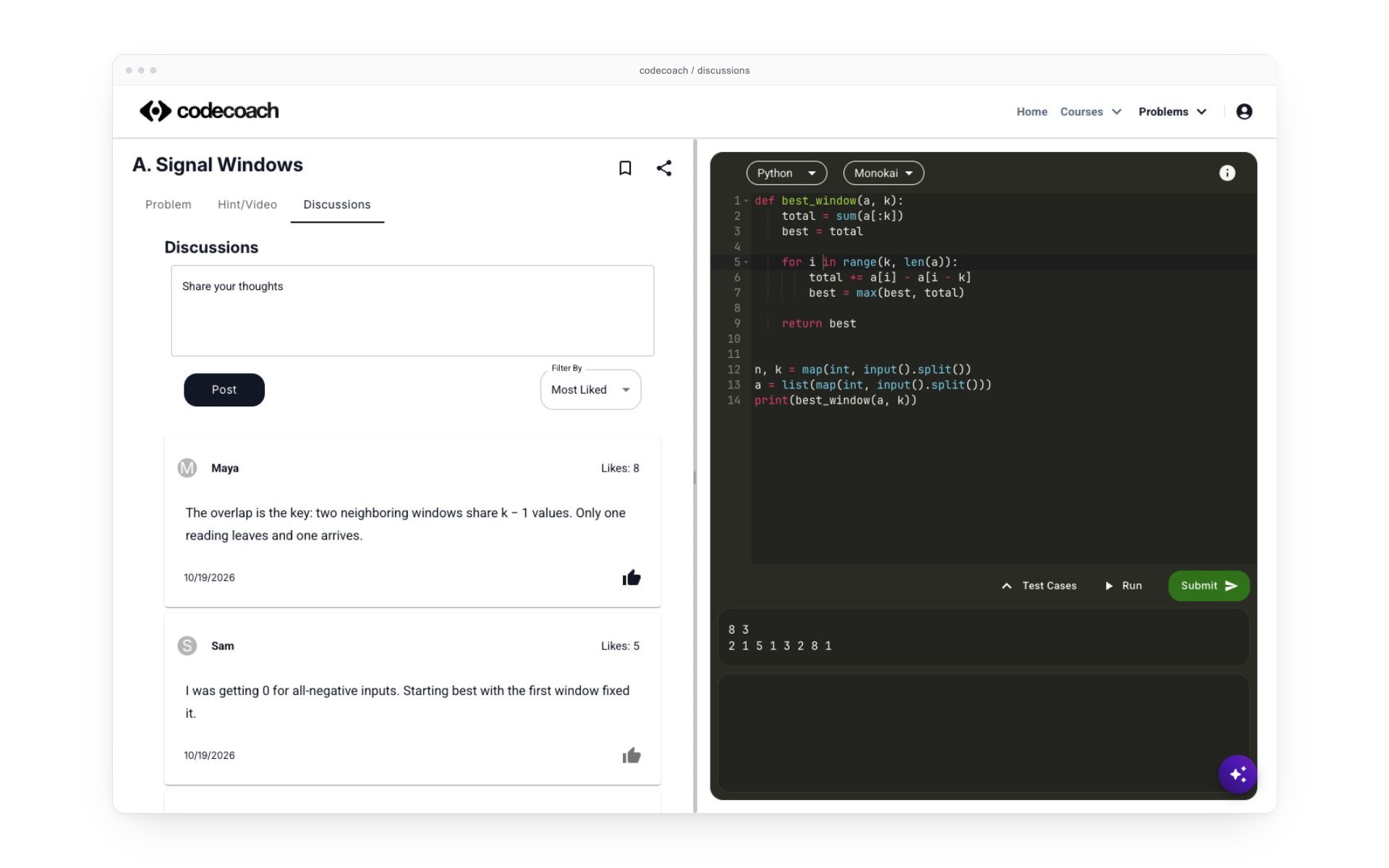
Each problem also had a discussion tab. Students could compare approaches, point out edge cases, and like helpful comments while keeping their code open beside the conversation.
Resume builder
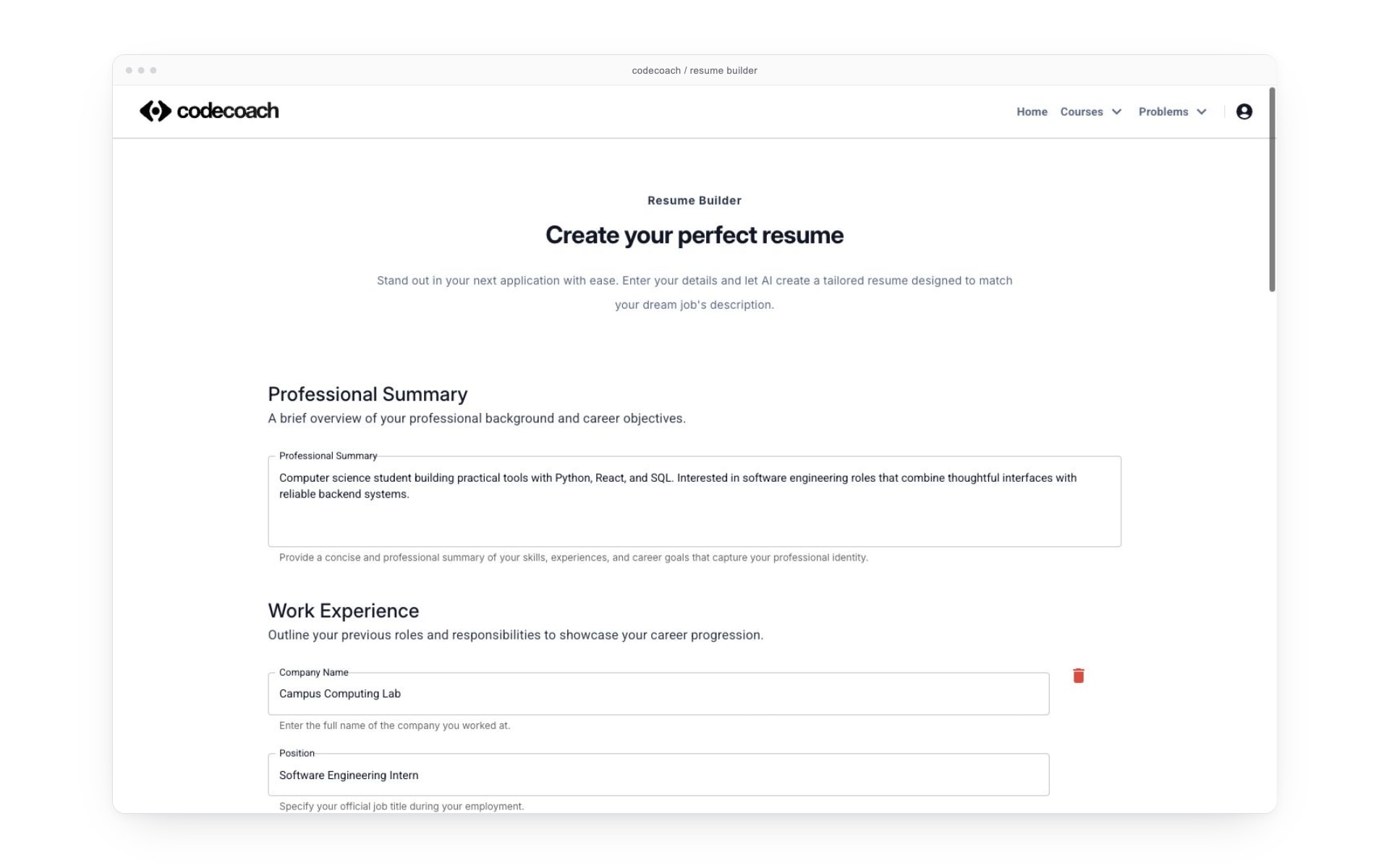
Interview preparation also included a resume builder. You could enter your experience, education, projects, and skills, then add a job description to tailor the draft. The generated text could be copied and edited.
Design and implementation
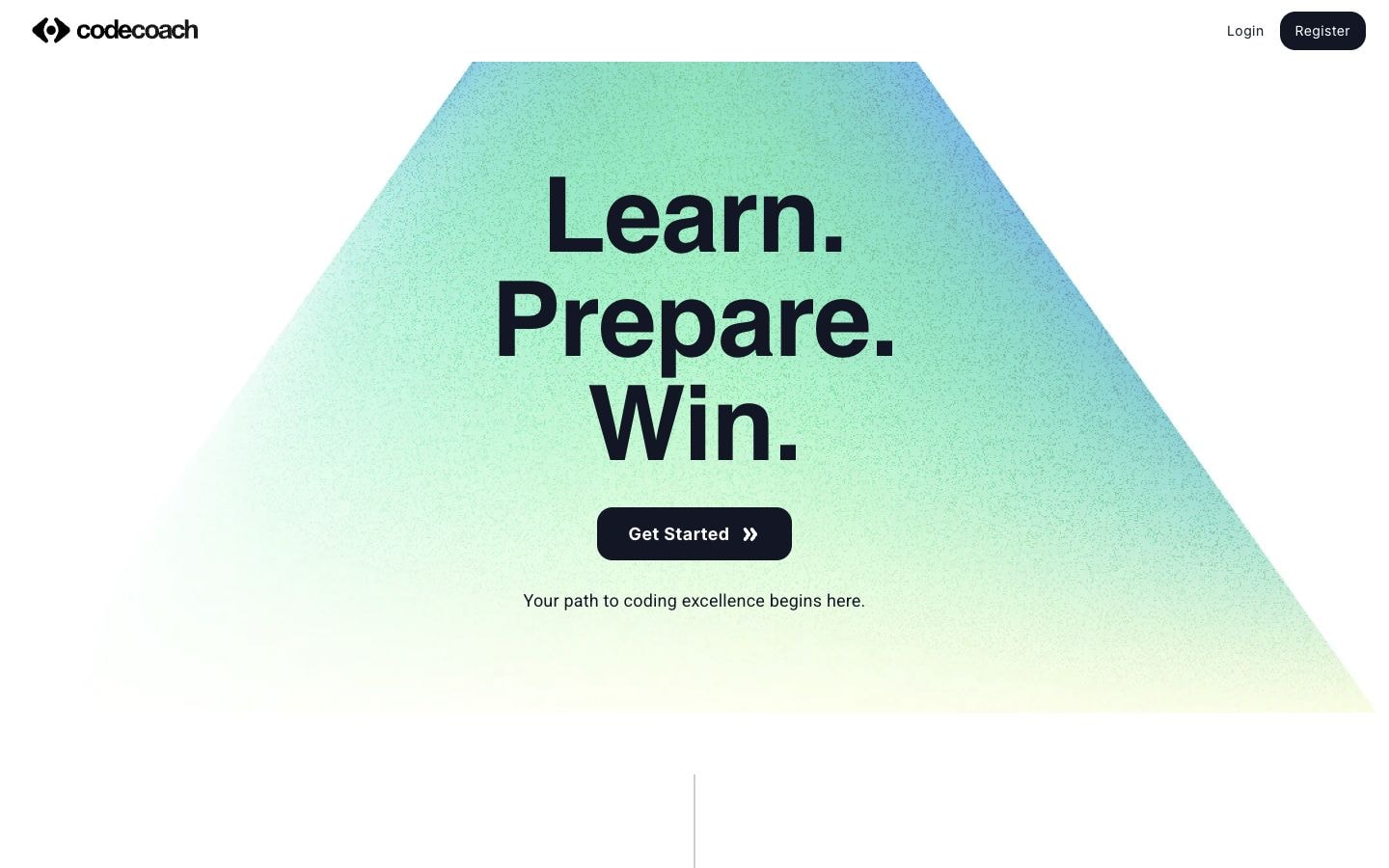
I handled the visual design, from the landing page to the coding workspace. I made the logo from two angle brackets around a dot, paired with a lowercase wordmark. The workspace is quieter than the landing page, with most of the space given to the problem and code.
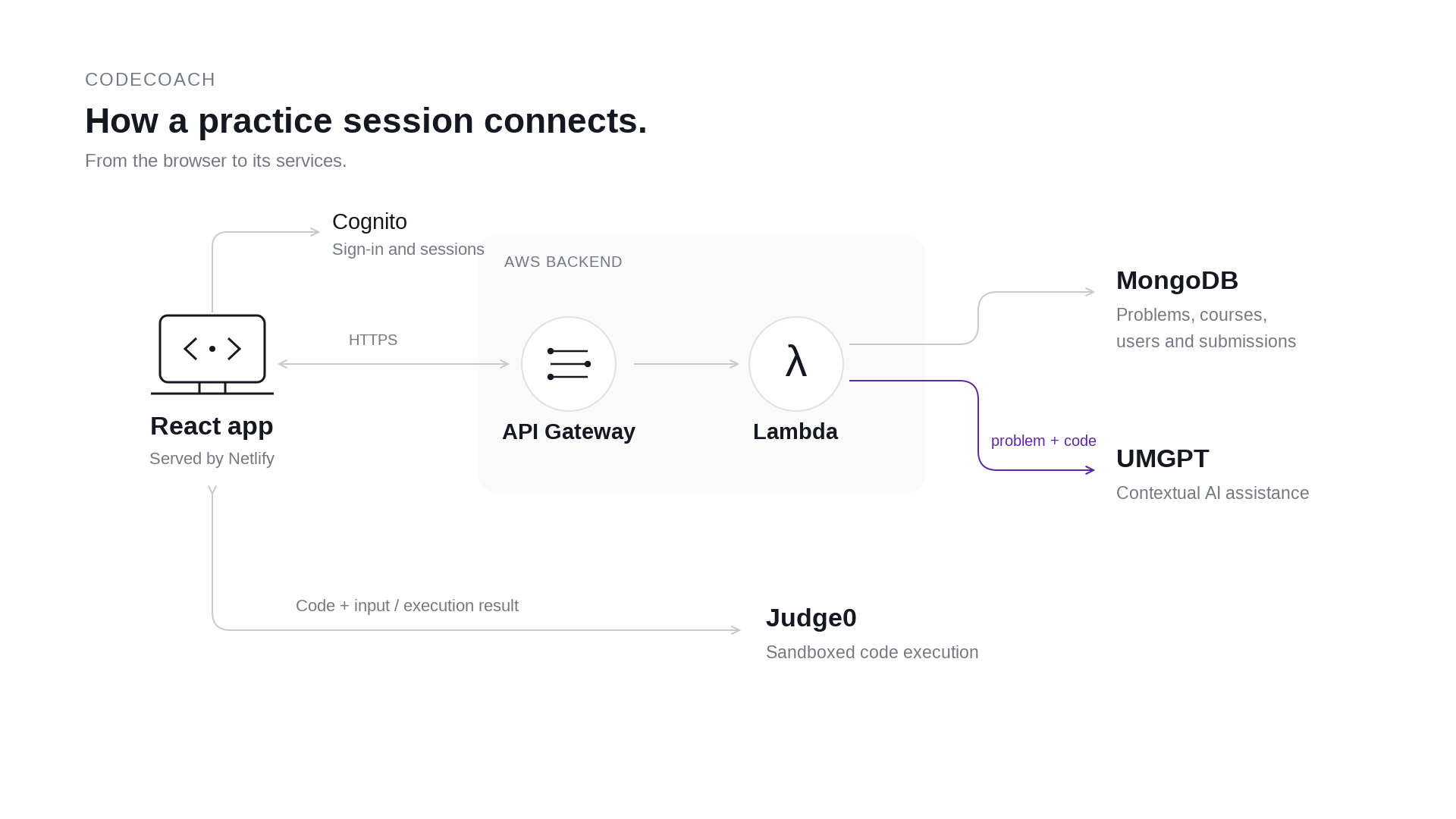
The frontend is React, hosted on Netlify. Cognito handles sign-in, API Gateway routes requests to Node.js functions on Lambda, and MongoDB stores the users, problems, courses, discussions, and submissions. Code execution goes through Judge0. The assistant uses OpenAI through the university's UMGPT service.